Note: At this time all appointments are virtual unless requested otherwise. Please use this form for any inquiries during this time and a team member will be in touch with you.
Student Accounting FAQs
|
Students assess the LEARN portal to view account information including registration, financial aid and bills, assign authorized parties to view their accounts and making payments on their behalf, complete forms, and enroll in student health insurance.
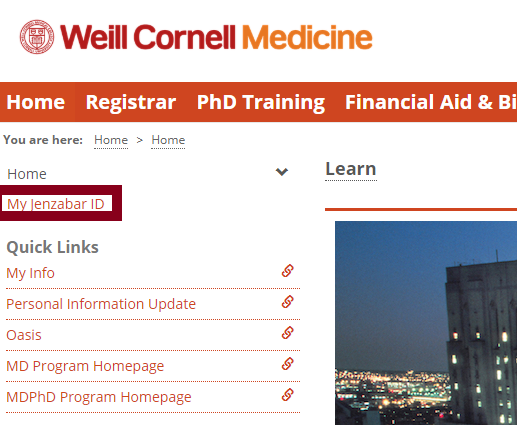
Your Jenzabar ID is your student ID and you can find it under in LEARN, select “Home” and under Quick Links select “My Jenzabar ID”:
Watch this step-by-step video guide.
It is quite common for students to be covered under a parent’s health insurance plan. Please note that when you turn 26, you are generally no longer eligible to remain on that plan. In this situation, you should waive the WCM Student Health Plan using your current coverage. When you turn 26 years of age, you can enroll for your WCM insurance coverage by submitting a “Petition to Add Coverage” through Gallagher Student Health and pay for this coverage on your student account.
Log in to LEARN, select “Financial Aid & Billing”, “View Student Account”, and “Manage Refunds”.

Login to LEARN, select “Home” and under Quick Links, select “Personal Information Update."
View the Leave of Absence policy on our Plan Enrollment page.